After many requests of you guys, we have uploaded the latest CapCut Ultra 2027 APK. This ultra version is currently very popular and in fact No.1 searched app in FB and Insta in last month.
I asked my teammate Sunil to research that why its popular and if we should at it in our website. He found that this Ultra v22.0.0 comes with the Capcut’s Ultra Plan unlocked and its full AI features. This update also has fixed 2 big problems. As you know many users were facing loging problem and network issue in older versions. Those problems are gone and we can all Ultra features of Capcut for Free. So, lets know all about this app.
Steps to Setup CapCut Ultra v22.0.0 with AI Features & Network Fix
How to Install and Use this CapCut Ultra 2027 with No VPN?
- First, Download this new Capcut Ultra 2027 (22.0.0) APK from our download page.
- Uninstall any older version of Capcut official app or mod app if installed before.
- Now, install the downloaded APK file.
- Open it and wait 5 seconds. This is important for mod settings to load and work. No VPN needed till now.
- Now, go to Me >>Settings, turn on “Business Creator Mode” option. The app will restart automatically. I suggest to restart it again too and wait 5 seconds more.
That’s it! Now, use this MOD app and expore all Capcut’s AI features for free without any Watermark and ads (without VPN too).
Only you need VPN, if you want to login/signup. That’s when, you need to use VPNs like Aloha, Proton or CapVPN.
Features
- Ultra Plan account unlocked with Lifetime (no end date).
- No force update popup to update to any newer version.
- Zero ads inside the app.
- No watermark on edited video or even on AI generted clips.
- AI video tools unlocked with Ultra HD support (see screenshot below).
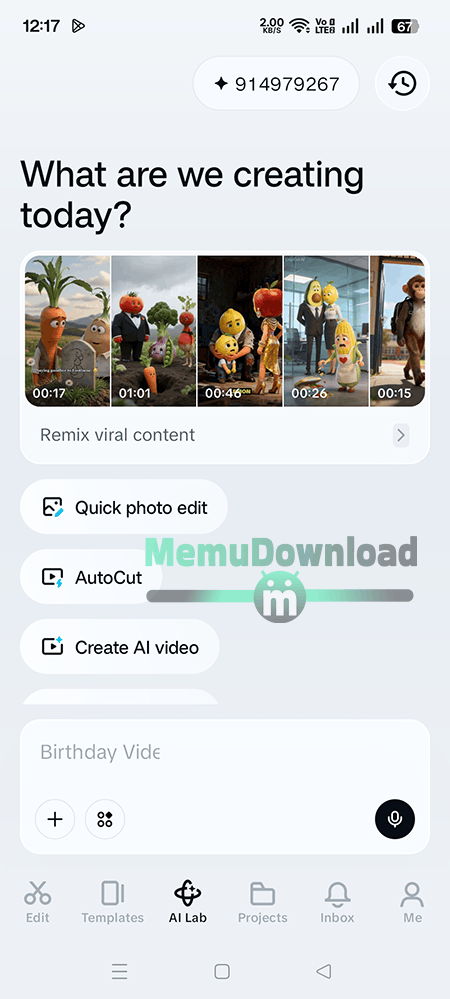
- Fixed 2 problems: Login issues while editing and network problem.
- Many other features like Offline export, Business creator mode, 4K support + premium templates & effects.
What we noticed when we used this app
Our teammate Sunil installed this latest popular update of CapCut Ultra on our Realme P3 Pro mobile. The test was for 2 days only. That mobile was running on Android 17 (ColorOS 17). Trimming and applying the effects in a heavy 4k timeline was smooth. No lag. He added some AI effects and its preview was smooth too. There was a bit of extra battery drain he said.
But, he liked how smoothly the AI auto-captioning and premium transition effects worked. Even the new Ultra HD templates on this mobile worked as expected. He exported that clip too in Ultra HD quality. No lag and exporting was fast too!
You must install this Ultra update?
The question is in your mind, I know it. The question is if you should install this update in your phone or not? If you are using any older version of Capcut Pro or Ultra, then you must 100% try this version 22.0.0.
The reason is that many annoying bugs has been fixed. Thats why in the steps, i told for a fresh install too. All trending templates and AI tools are unlocked and working too. Even if you are from restricted countries, No need of VPN for this updated APK. One important thing to remember is to turn on the Business Creator Mode setting. If any pro features doesn’t work, turn that setting OFF and turn ON again. Restart the app 2-3 times and it will work.
That’s all about the Capcut Ultra 2027 update and how to use it properly. If you face any problem, comment or let us know in our Telegram channel too. We will try to bring another update of this app.