The video editing app which has been viral in recent days is here. Yes, it is everyone’s favorite Gold Motion. This app has been all over the social media. We had to upload this app here. Many video editors who edit AM transitions or anime reels on Android are praising this app. Because, After Motion has been lagging too much on newer phones. So, PNKJ has developed this new mod app.
We have the latest and updated Gold Motion 7.0.4 APK for you. Before downloading it, check all about its unique features and see our brief review too.
How to Use All Features inside Gold Motion App (Video guide)
What is Gold Motion APK?
Basically, Gold Motion is a new modified APK of Alight Motion. Its developer name is PNKJ. With this mod app, you get full and free access all the PRO features that are really PC level tools. You can use AI upscaling, optical flow slow-motion, custom lighting tools, and hundreds of unlocked presets. This app is made for all video creators who want clean and pro animated edits on Android mobile.
We all know most of the best features of offcial AM (Alight motion) app is paid feature. And the most popular mod like After Motion crashing a lot these days. That’s why, the Gold Motion MOD app is getting a lot of popularity these days. It is more stable with lesser crashes. It also has beautiful golden UI.
Features
- More than 1600 effects unlocked.
- Local Auto-Backup for projects.
- Import XML and ZIP files directly.
- Live sync on timeline preview quality when you change settings.
- AI upscaling for fixing blurry cover art or screenshots.
- Smooth Twixter tool for clean slow-motion clips.
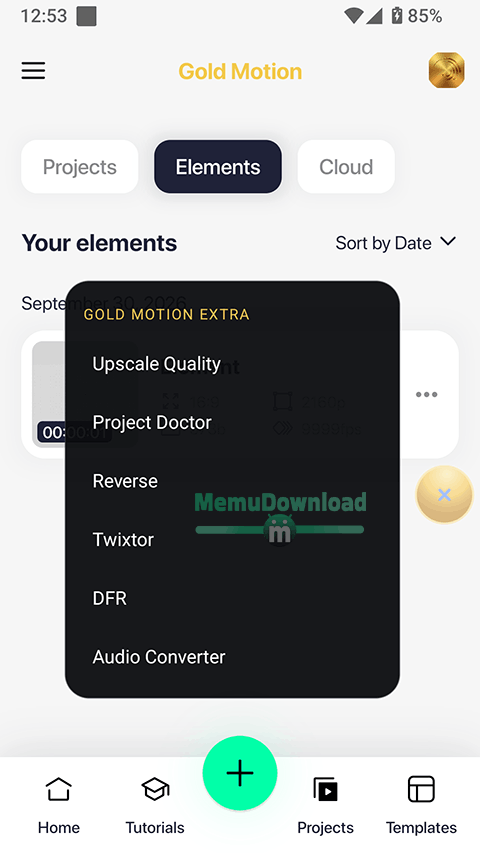
- Dead Frame Remover tool: It cuts out frozen frames from raw recordings.
- New visual effects in every other update after user requests.
- 3D camera controls with proper X, Y, and Z rotation sliders.
- Audio search bar on the timeline + a live decibel monitor.
- Beautiful Golden UI with many customization settings to change UI as per your need.
What we feel after testing the app
I personally tested this Gold Motion in our Realme P4 which runs on Android 16. When I opened this app for the first time, it was bit slow. It took around 30 seconds. And after that It takes around 5-7 seconds. This is because the loads all the 1600 effects into cache at once.
If we leave that behind, the app is outstanding. I spent 50 minutes editing heavy 4K video with 12 layers of media with effects. Battery dropped only 11%, that is genunely very low. RAM usage was around 1.1GB to 1.3GB. That’s really good because even you can use it on budget phones too.
Another thing I must admit that the timeline preview stuttered at full quality when I added color correction and blur layers on top of multiple 4K clips. But, after that, when I change the preview quality down to Third, the lag disappeared. That’s not a major problem. And even better, the effects section pops up instantly without freezing the phone for some seconds as some people complained for the older mod versions. So, overally, I would recommend this app for using as main video/motion graphics editing app.
Some tips for lag free editing and export
- Go with H.264 video codec when exporting.
- If keyframes on your Z-axis start glitching, clear the app’s cache and restart your mobile once.
- Dont render 4K clips even if use a mobile with budget range processor. Your processor may be only supporting 1080p hardware encoding. Check the settings before doing.
- Wait 5 seconds after the app opens before going inside your projects.
If you like the Gold Motion app after using it, come back here for this next v7.0.4 update. It is coming very soon.